Skip to content
PracticeGuru LearningsCourses for tax professionals

PracticeGuru Learnings

The skills your practice needs, besides the tax law

Short, practical courses for CAs, tax practitioners and their staff: how to get and keep clients, how to keep their data safe, and how to use AI safely in daily office work. Made by the PracticeGuru team, trusted by 5000+ tax professionals.

Share PracticeGuru LearningsWhatsAppLinkedIn
  • 20 courses
  • First lesson free, 7-day money-back
  • Rs. 599 to Rs. 999 per course, lifetime
  • From Rs. 1,499 / year every course for your office (about Rs. 4.1 a day + GST)

Office Subscription Plan

One plan. Every course. Your whole office.

All 20 courses for you and your staff, for one year, and every new course we add during that year. Small office: you + 5 staff. Large office: no staff limit.

20 courses, and new onesSales, data safety, AI, Excel, fees, onboarding, automation, office software, profit and team. New courses during your year are included.
You + 5 staff, or no limitInvite staff by link. Each person gets their own login, progress and certificate. Add or remove people any time.
See who learned whatAn office dashboard shows each person's progress, who needs a reminder, and the certificates your team earns. See what you get

What would you pay to train your whole office?

About Rs. 4.1 a day + GST, for the whole office.

Small office: Rs. 1,499 + GST a year for every course and 6 people. Large office: Rs. 1,999 + GST (about Rs. 5.5 a day) with no staff limit. Buying all 20 courses one by one would be Rs. 17,180 + GST, for one person.

7-day money-back guarantee · Refund policy

The problem

What nobody teaches a tax professional

You spent years learning the law. Running the practice (getting clients, keeping their data safe, training staff) you had to learn by trial and error.

The CA course teaches the law, not how to get clients or protect their data.

Most courses are made for other businesses, not for a tax practice.

Good courses are long and costly. These are short, practical and Rs. 599 to Rs. 999.

Courses

Pick a course. Read the first lesson free.

Each course is short, made for a tax practice, and ends with something you can use in your office the same week.

Not sure where to start? Choose your goal

Each route is a short order of courses. Start with the first; its first lesson is free. Still not sure? Answer 7 quick questions and get a path made for your firm.

Sales Academy

Sales Academy

Sales & marketing for tax professionals

The full picture of getting clients. For the step-by-step website and Google setup, take Website SEO; for pricing and collecting fees, take Client Handling.

★ 4.6978 students
  • 25 chapters
  • 101 action points
  • 20 question test
What you will learn

25 chapters, 101 action points and a certificate. Learn how to get and keep clients within ICAI rules.

  • Market and brand your practice within ICAI guidelines
  • Get found online: website, Google SEO, business profile, blogs and content
  • Build followers and use email marketing
  • Network offline and turn contacts into leads
  • Run a sales meeting, negotiate, and send a proposal that wins
  • Build your own Guided Sales Book of 101 action points
See all 25 chapters

Introduction

  1. Introduction
  2. Marketing for Professionals
  3. Branding for Professionals

Online Marketing

  1. Online Marketing
  2. Website
  3. Different Channels
  4. Blogs
  5. Google SEO
  6. Business Profile
  7. Content
  8. Gain Followers
  9. Email Marketing

Offline Marketing

  1. Offline Marketing
  2. Networking

Sales

  1. Negotiation
  2. Sales Meeting
  3. Proposal / Quotation
  4. Proposal Email

Others

  1. Internal Branding
  2. Other ICAI Guidelines
  3. How PracticeGuru Can Help
  4. Conclusion

Exam and Certificate

  1. Claim Certificate

My Sales Guide

  1. My Sales Guide

Rs. 999 + GST, one-time, lifetime access · or included in the Office Subscription Plan

7-day money-back guarantee

About the course →

Digital Office & Data Safety

Digital Office & Data Safety

Keep client data, passwords and DSCs safe

New course
  • 13 short lessons
  • about 2.9 hours of reading
  • 3 templates
What you will learn

13 short lessons with checklists: passwords, DSCs, phishing, backups, staff access and the DPDP Act for CA firms.

  • Spot fake department emails and WhatsApp links before anyone clicks
  • Move portal passwords out of Excel and WhatsApp into a password manager
  • Keep a DSC register: who holds which token, and when it expires
  • Back up the right way, and test that a restore actually works
  • Give staff access on day one and take all of it back on their last day
  • Understand what the DPDP Act asks of a CA firm, in plain words, and keep the seven registers that prove it
See all 13 lessons

Start here

  1. Why small CA firms get targeted

Lock the doors

  1. Map your office data
  2. Passwords and portal logins
  3. DSC safety
  4. Email and WhatsApp safety
  5. Laptops and phones

Look after the files

  1. Cloud storage and folders
  2. Backups
  3. Collecting client documents safely

People and the law

  1. Staff joining and leaving
  2. The DPDP Act for CA firms
  3. When something goes wrong

Make it stick

  1. Your one-page data safety policy

Rs. 599 + GST, one-time, lifetime access · or included in the Office Subscription Plan

7-day money-back guarantee

About the course →

AI for Tax Professionals

AI for Tax Professionals

Use ChatGPT, Claude and Gemini safely in daily office work

New course
  • 22 short lessons
  • about 5 hours of reading
  • 70 ready prompts
What you will learn

22 short lessons: client mails, notices, circulars, Excel, office documents, audit, accounts, income tax and GST work with AI, without leaking client data. 50 ready prompts and a firm AI policy.

  • Pick the right tool (ChatGPT, Claude, Gemini or Copilot) and set it up safely
  • Hide PAN, Aadhaar and bank details before anything goes into an AI tool
  • Draft client emails and WhatsApp reminders, also in Hindi, Marathi or Gujarati
  • Read a notice, list the documents needed and outline a reply, checked by you
  • Summarise circulars and judgments in 2 minutes, and use AI with Excel
  • Check every AI answer before it reaches a client, and roll out a firm AI policy
  • Go further: how AI works, advanced prompting, audit and company work, accounting and MIS, photos, scans and voice
  • Use AI on tax audit, income tax and GST work, with every rate, section and due date taken from the official text
  • Build small office tools with AI that keep client data on your computer, and check any tool before you use it
See all 22 lessons

Start here

  1. What AI can and cannot do in a CA office

Set up safely

  1. Picking your tool
  2. Client data rules: what never goes in
  3. Asking AI properly

Daily office work

  1. Client communication
  2. Notices: reading and draft replies
  3. Circulars and judgments in 2 minutes
  4. AI + Excel
  5. Office documents
  6. Meetings and notes

Grow and stay safe

  1. Marketing within ICAI rules
  2. Checking AI output
  3. Firm AI policy + 30-day rollout

Go further

  1. How AI works, in plain words
  2. Advanced prompting: examples, steps and chains
  3. AI for audit and company work
  4. AI for accounting and finance work
  5. Photos, scans and voice

Tax work with AI

  1. AI for tax audit work
  2. AI for income tax work
  3. AI for GST work

Build safely

  1. Build or borrow a small office tool, safely

Rs. 999 + GST, one-time, lifetime access · or included in the Office Subscription Plan

7-day money-back guarantee

About the course →

Excel for Tax Practice

Excel for Tax Practice

Do in 10 minutes what takes your staff an afternoon

Everyday Excel for the office. For Power Query and macros in depth, take Excel Automation for Tax & Accounts Offices.

New course
  • 14 short lessons
  • about 3.2 hours of reading
  • 4 office templates
What you will learn

14 short lessons on real office files: clean portal and bank data, lookups, matching two lists, pivot tables, Power Query, 4 ready office templates and an office dashboards workbook.

  • Clean data from the GST/IT portals and bank statements without breaking IDs
  • Use XLOOKUP and VLOOKUP, and match two lists: books vs statement
  • Make party-wise and month-wise pivot tables in two minutes
  • Work out fee due, slabs and ageing with SUMIFS and COUNTIFS
  • Combine 12 monthly files in one click with Power Query
  • Check formulas for errors, and let AI write formulas without leaking data
See all 14 lessons

Start here

  1. Excel habits that save an hour a day

Clean and find

  1. Clean data from portals and banks
  2. Sorting, filtering and duplicates
  3. Lookups: XLOOKUP and VLOOKUP
  4. Matching two lists

Summarise

  1. Pivot tables
  2. IF, SUMIFS and COUNTIFS
  3. Dates and deadlines

Work faster

  1. Power Query: combine files
  2. Checking work: audit tools
  3. Office templates that last

Finish and share

  1. Charts and a one-page summary
  2. Excel with AI, and safe files

Make it stick

  1. Your office dashboards

Rs. 799 + GST, one-time, lifetime access · or included in the Office Subscription Plan

7-day money-back guarantee

About the course →

Client Handling & Fee Collection

Client Handling & Fee Collection

Get paid on time, without losing the client

Pricing, engagement letters and collecting fees from the clients you have. Sales Academy covers finding new clients.

New course
  • 16 short lessons
  • about 3.7 hours of reading
  • Word letters and scripts
What you will learn

16 short lessons: taking on clients, engagement letters, pricing, raising fees, billing, polite collection, complaints, client health checks and renewals, within the ICAI rules. Letters and scripts included.

  • Spot red flags before you take on a new client
  • Put scope, fees and timelines in an engagement letter for everyday work
  • Price your services and raise fees without losing clients
  • Bill on time with advance, milestone and retainer billing
  • Collect what is owed with a polite reminder ladder and call script
  • Handle difficult clients, and end a client relationship properly, within the ICAI rules
See all 16 lessons

Start here

  1. Why good firms still don't get paid

Before the work

  1. Taking on a new client
  2. Engagement letters for everyday work
  3. Pricing your services

Getting paid

  1. Raising fees without losing clients
  2. Billing on time
  3. Collecting what is owed
  4. When a client does not pay

People

  1. Difficult clients and conversations
  2. Communicating with clients
  3. Service routines and feedback
  4. Complaints and response standards
  5. Losing a client well

Keep and grow clients

  1. Client health check: spot clients before they leave
  2. The renewal conversation

Make it stick

  1. Your client and fee policy

Rs. 999 + GST, one-time, lifetime access · or included in the Office Subscription Plan

7-day money-back guarantee

About the course →

First 90 Days in a CA Office

First 90 Days in a CA Office

Onboarding for new staff and articles, with your office's own rules on the Office plan

New course
  • 13 short lessons
  • about 2.3 hours of reading
  • Office rules, with the office plan
What you will learn

13 short lessons for every new joiner: confidentiality, files, DSCs, talking to clients, checklists and reporting. With the Office Subscription Plan, your office's own rules appear inside the lessons.

  • Understand how a CA office works, who does what, and the year's calendar
  • Keep client information confidential: phones, WhatsApp and social media
  • Handle files, DSCs, passwords and OTPs the safe way
  • Talk to clients and ask for documents politely and clearly
  • Work with checklists, report daily, and raise mistakes early
  • With the Office Subscription Plan: read your own office rules inside the lessons and confirm them
See all 13 lessons

Start here

  1. Welcome to a CA office

Settling in

  1. Your first week
  2. Who to ask for what

Handling client work

  1. Client information is confidential
  2. Documents, files and folders
  3. DSCs, passwords and OTPs

Working with clients

  1. Talking to clients
  2. Asking clients for documents

Doing good work

  1. Doing the work right
  2. Your day: tasks and reporting
  3. Mistakes and "I'm stuck"

Growing

  1. Office conduct and a safe workplace
  2. Growing in the firm

Rs. 599 + GST, one-time, lifetime access · or included in the Office Subscription Plan

7-day money-back guarantee

About the course →

AI & No-Code Automation

AI & No-Code Automation

Let the computer do the repeated office work

New course
  • 13 short lessons
  • about 2.7 hours of reading
  • Free tools first
What you will learn

13 short lessons: document forms, reminders, WhatsApp Business, email rules, no-code flows and saved AI assistants. Free tools first, paid options after.

  • Collect client documents with forms instead of WhatsApp chases
  • Send reminders that go out by themselves
  • Use WhatsApp Business the free way, and email rules that sort mail
  • Make sheets and Excel files update themselves, and build no-code flows
  • Save AI assistants for repeat drafting work
  • Automate safely with a checklist, and plan your office's next steps
See all 13 lessons

Start here

  1. What to automate in a CA office

Clients and documents

  1. Collecting documents with forms
  2. Reminders that send themselves
  3. WhatsApp Business, the free way

Your own work

  1. Email that sorts itself
  2. Sheets and Excel that update themselves
  3. No-code flows, step by step
  4. Saved AI assistants for repeat work

Office systems

  1. Scanning and file naming
  2. E-signing and approvals
  3. A task tracker that updates itself

Make it stick

  1. Automation safely: the checklist
  2. Your office automation plan

Rs. 799 + GST, one-time, lifetime access · or included in the Office Subscription Plan

7-day money-back guarantee

About the course →

Google Workspace & Microsoft 365 for Tax & Accounts Offices

Google Workspace & Microsoft 365 for Tax & Accounts Offices

Mail, calendar, shared folders and calls, set up the office way

New course
  • 13 short lessons
  • about 2.7 hours of reading
  • 2 tracks: Google and Microsoft
What you will learn

13 short lessons in two tracks, Google and Microsoft: shared folders, email, calendars, booking meetings, documents, video calls and team chat. Free versions first, business plans after.

  • Choose one suite and set up office accounts on your own email domain
  • Organise shared folders and permissions properly
  • Run email with labels, signatures, delegation and a shared office mailbox
  • Use one office calendar, reminders and client booking links
  • Work together on letters, templates and spreadsheets with comments and versions
  • Hold video calls with clients and roll the setup out in 30 days
See all 13 lessons

Start here

  1. Choosing one suite for the office

Set it up

  1. Office accounts and your own email domain
  2. Shared folders and permissions

Email and calendar

  1. Email: labels, folders and signatures
  2. Delegation and a shared office mailbox
  3. The office calendar and reminders
  4. Booking client meetings

Documents

  1. Letters and document templates
  2. Review: comments, suggestions and versions
  3. Spreadsheets online and co-editing

Working with people

  1. Video calls with clients
  2. Team chat, mobile apps and offline work

Make it stick

  1. Moving between suites and your 30-day rollout

Rs. 599 + GST, one-time, lifetime access · or included in the Office Subscription Plan

7-day money-back guarantee

About the course →

Building a Profitable CA Practice

Building a Profitable CA Practice

Know which work makes money, and plan the year

New course
  • 13 short lessons
  • about 3.1 hours of reading
  • 1 one-page dashboard
What you will learn

13 short lessons for owners: your firm's numbers, what an hour costs, profit by service and client, recurring income, firm-level pricing within ICAI rules, cost control and a one-page dashboard.

  • Read your firm's numbers and work out what one hour of your office costs
  • See profit by service and by client, and find your 80/20
  • Build recurring income and retainers
  • Price at firm level, within the ICAI rules
  • Plan the year's revenue and review it every month
  • Control costs and cash flow, and decide when to hire or say no
See all 13 lessons

Start here

  1. Is your firm really making money?

Know your numbers

  1. Your firm's numbers in plain words
  2. What one hour of your office costs

Where the profit is

  1. Profit by service
  2. Profit by client
  3. The 80/20 of your clients

Grow the right income

  1. Recurring income and retainers
  2. Pricing at firm level, within the rules
  3. A yearly revenue plan and a monthly review

Control and cash

  1. Cost control without cutting corners
  2. Cash flow, collections and partner drawings

Decide and track

  1. When to hire, say no, or invest in tools
  2. Your one-page dashboard

Rs. 999 + GST, one-time, lifetime access · or included in the Office Subscription Plan

7-day money-back guarantee

About the course →

Leading Your Team

Leading Your Team

Hire well, delegate properly and keep good people

New course
  • 13 short lessons
  • about 2.4 hours of reading
  • 1 second line built
What you will learn

13 short lessons for owners and seniors: staff or articled assistants, job descriptions, interviews, delegation, feedback, appraisals, training, poor performance, retention, conflict and a second line.

  • Choose between staff and articled assistants, and write clear job descriptions
  • Interview with simple tests and hire well
  • Delegate properly and check work without micromanaging
  • Give feedback in weekly one-to-ones, and run fair appraisals
  • Handle poor performance and conflict fairly
  • Keep good people and build a second line
See all 13 lessons

Start here

  1. From doing the work to leading the team

Hiring well

  1. Staff or articled assistants?
  2. Writing a job description
  3. Interviews and simple tests

Getting work done

  1. Delegating properly
  2. Checking without micromanaging
  3. Feedback and weekly one-to-ones

Growing people

  1. Goals, appraisals and increments
  2. Training plans and recognising good work
  3. Handling poor performance fairly

Keeping the team

  1. Why people leave, and how to keep them
  2. Handling conflict in the team
  3. Building a second line

Rs. 799 + GST, one-time, lifetime access · or included in the Office Subscription Plan

7-day money-back guarantee

About the course →

Starting Your Own CA Practice

Starting Your Own CA Practice

Set up your practice properly in the first 6 months

New course
  • 13 short lessons
  • about 2.7 hours of reading
  • 1 6-month launch plan
What you will learn

13 short lessons for newly qualified CAs: alone, partner or LLP, registering with ICAI, first budget, bank and insurance, office setup, free-first software, first clients the ethical way, processes and a 6-month plan.

  • Decide between working alone, a partner, an LLP or joining a firm
  • Get registered step by step, with links to the current ICAI procedure
  • Plan your first budget, bank, insurance and office
  • Choose software and hardware, free options first
  • Get your first clients within the ICAI rules, and take them on properly
  • Avoid the common early mistakes with a 6-month plan
See all 13 lessons

Start here

  1. Is your own practice right for you, now?

Deciding

  1. Alone, with a partner, LLP, or join a firm
  2. Getting registered: COP, firm name and FRN

Money

  1. Your first budget and runway
  2. Bank, money and insurance

Setting up

  1. Home office or shared space
  2. Software and hardware, free first

Clients

  1. Your first clients, the ethical way
  2. Taking on your first clients properly

Running

  1. Processes from day one
  2. Working alone, or your first hire

Growing

  1. Peers, CPE and staying sharp
  2. Early mistakes, and your 6-month launch plan

Rs. 799 + GST, one-time, lifetime access · or included in the Office Subscription Plan

7-day money-back guarantee

About the course →

Running the Firm: Systems & Quality

Running the Firm: Systems & Quality

An office that runs smoothly, with fewer mistakes reaching clients

New course
  • 14 short lessons
  • about 3.1 hours of reading
  • 1 work register
What you will learn

14 short lessons for owners and seniors: a work register, allocation and handover, a year calendar, SOPs and checklists, review before work goes out, error logs, working papers, quality standards and going paperless.

  • Keep one work register and allocate work with backups and handover
  • Plan deadlines on a year calendar
  • Write SOPs and review checklists people actually use
  • Set up maker-checker and partner review before work goes out
  • Learn from mistakes with review notes and an error log
  • Close files properly and go paperless in 30 days
See all 14 lessons

Start here

  1. Why the office stops without you

Know what is going on

  1. The work register: one list of every job
  2. Allocating work, backups and handover
  3. Deadlines and the year calendar

Write it down

  1. SOPs that people actually use
  2. Review checklists for each service
  3. Working papers and closing a file

Review and quality

  1. Maker-checker and partner review
  2. Review notes that close and teach
  3. The error log: learning from mistakes
  4. Quality standards for firms doing assurance work

Run the office

  1. Going paperless: a 30-day plan
  2. The weekly office meeting and four numbers

Make it stick

  1. The ICAI compliance desk

Rs. 799 + GST, one-time, lifetime access · or included in the Office Subscription Plan

7-day money-back guarantee

About the course →

Website SEO for Tax Professionals

Website SEO for Tax Professionals

Get your practice website found on Google, within ICAI rules

The step-by-step website and Google setup. Sales Academy gives the overall marketing picture.

New course
  • 15 short lessons
  • about 3.6 hours of reading
  • 1 90-day plan
What you will learn

15 short lessons: how Google crawls and ranks, sitemaps, on-page and off-page SEO, Google Business Profile, Search Console and GA4, explained simply, within the ICAI website rules.

  • Understand how Google finds, reads and ranks your website
  • Do SEO within the ICAI rules for websites
  • Fix the technical basics: sitemap, robots.txt, speed and mobile
  • Write service pages and articles that clients find
  • Set up Google Business Profile, Search Console and GA4
  • Follow a monthly SEO routine and a 90-day plan
See all 15 lessons

Start here

  1. How clients find a CA on Google today
  2. SEO within the ICAI rules

How Google works

  1. Crawling, indexing and ranking in plain words
  2. Sitemap, robots.txt and the technical basics
  3. Find the words your clients type

On-page SEO

  1. On-page SEO: the page checklist
  2. Service pages that rank
  3. About, team and contact pages that build trust
  4. Articles that bring visitors, with AI help

Off-page and local SEO

  1. Off-page SEO: links and mentions
  2. Google Business Profile and reviews

Measure

  1. Google Search Console, step by step
  2. Search Console Performance report
  3. Google Analytics (GA4) for a CA website

Keep going

  1. Your monthly SEO routine and a 90-day plan

Rs. 799 + GST, one-time, lifetime access · or included in the Office Subscription Plan

7-day money-back guarantee

About the course →

Peer Review Ready

Peer Review Ready

Prepare for your firm's peer review without last-minute pressure

New course
  • 13 short lessons
  • about 3 hours of reading
  • 1 readiness kit
What you will learn

13 short lessons for audit firms: does the mandate apply and by when, applying and choosing a reviewer, the assurance register, a quality control manual, independence, acceptance and monitoring, what the reviewer samples, review-ready files, the AQMM, the visit, and keeping the certificate.

  • Check whether the peer review mandate applies to your firm, and by when
  • Apply and choose a reviewer the right way
  • Keep an assurance register and write a quality control manual
  • Get independence, acceptance and monitoring in order
  • Make your files review-ready, and know what the reviewer samples
  • Handle the AQMM and the reviewer visit, and keep the certificate
See all 13 lessons

Start here

  1. Peer review without panic

Does it apply

  1. Does the mandate apply to your firm?
  2. Your timeline: working back from the date you need it

Getting ready

  1. Applying: Form 1, the reviewer and the fee
  2. The assurance register and your client list

The policies

  1. Your quality control manual: what to write
  2. Independence and ethics: the policy and the declarations
  3. Client acceptance, people and monitoring

The files

  1. What the reviewer samples, and how many
  2. Getting each file review-ready
  3. Using the AQMM as evidence

The review

  1. The reviewer's visit and the observations

After the review

  1. Keeping the certificate, and what it opens

Rs. 999 + GST, one-time, lifetime access · or included in the Office Subscription Plan

7-day money-back guarantee

About the course →

Merge, Network or Stay Solo

Merge, Network or Stay Solo

Decide whether to combine firms, and plan the move carefully

New course
  • 13 short lessons
  • about 3 hours of reading
  • 1 100-day plan
What you will learn

13 short lessons for proprietors and small firms: why grow, five options compared, finding the right fit, due diligence, valuing a practice, the partnership deed, ICAI merger steps, networks and LLP aggregation, telling clients and staff, the first 100 days, succession and when to walk away.

  • Compare five ways to grow, including staying solo
  • Find the right fit and do due diligence
  • Value a practice and agree the partnership deed
  • Follow ICAI's merger steps, networks and LLP aggregation
  • Tell clients and staff, and run the first 100 days
  • Plan succession, and know when to walk away
See all 13 lessons

Start here

  1. Merge, network or stay solo?

Deciding

  1. Why do you want to grow?
  2. The five options compared

Finding a fit

  1. Finding the right firm or partner
  2. Due diligence before you commit

Money

  1. What is a practice worth?
  2. The partnership deed: questions to settle

The ICAI process

  1. ICAI steps for a merger, and keeping seniority
  2. Networks, alliances and LLP aggregation

Carrying it out

  1. Telling clients, staff and articles
  2. The first 100 days
  3. Succession for a senior partner

Decide

  1. When to walk away, and your decision plan

Rs. 799 + GST, one-time, lifetime access · or included in the Office Subscription Plan

7-day money-back guarantee

About the course →

Launch a Virtual CFO Line

Launch a Virtual CFO Line

Turn your best MSME clients into a monthly advisory retainer

New course
  • 13 short lessons
  • about 3.1 hours of reading
  • 1 MIS pack
What you will learn

13 short lessons for practising CAs: what owners want, packages and scope, pricing the retainer, the independence check, offering it within the rules, the scope letter, onboarding, the monthly calendar and team, the MIS pack, a 13-week cash view, the monthly meeting, a separate consultancy company, and renewing.

  • Understand what MSME owners want, and package it
  • Price the retainer and run the independence check
  • Offer it within the ICAI rules, with a clear scope letter
  • Onboard clients and plan the monthly calendar and team
  • Build an MIS pack and a 13-week cash view
  • Run the monthly meeting, and renew the retainer
See all 13 lessons

Start here

  1. What MSME owners really want from a CFO

Design the service

  1. Two or three packages, and what is not included
  2. Pricing the monthly retainer

Rules before you sell

  1. The independence check when you also audit the client
  2. Offering it to clients within ICAI rules

Start each client right

  1. The scope letter for a virtual CFO retainer
  2. Onboarding: access, data and a clean chart of accounts

Run it every month

  1. The monthly calendar and who does what
  2. The MIS pack and a simple KPI dashboard
  3. The 13-week cash view and collections
  4. The monthly meeting and bank readiness

Grow and keep

  1. A separate consultancy company: when it is worth it
  2. Measuring, renewing and your 30-day launch plan

Rs. 999 + GST, one-time, lifetime access · or included in the Office Subscription Plan

7-day money-back guarantee

About the course →

Getting Empanelled

Getting Empanelled

Plan a year ahead for bank, C&AG and other audit panels

New course
  • 13 short lessons
  • about 2.8 hours of reading
  • 1 year-ahead calendar
What you will learn

13 short lessons for audit firms: how panels work, the MEF and bank branch panel, C&AG empanelment, other panels, what panels count, keeping records right, a year-ahead plan, filing without mistakes, allotment and acceptance, tenders and fees, staffing the season, getting paid, and a yearly review.

  • Understand how bank, C&AG and other audit panels work
  • Know what each panel counts, and keep your firm records right
  • Plan a year ahead and file without mistakes
  • Handle allotment, acceptance and tenders within the rules
  • Staff the audit season and get paid on time
  • Review the year and plan the next one
See all 13 lessons

Start here

  1. How audit panels work

Know the panels

  1. The MEF and the bank branch auditors' panel
  2. C&AG empanelment and its point score
  3. Co-operative banks, NBFCs, societies and bank assignments

Build the profile

  1. What panels count in your firm profile
  2. Keeping ICAI records and partner data right
  3. A year-ahead plan to get on and move up

Allotment and acceptance

  1. Filing the MEF and C&AG forms without mistakes
  2. Allotment and acceptance: checks before you say yes
  3. Tenders and fees within ICAI rules

Run the season

  1. Staffing the bank audit season
  2. Bills, travel claims and getting paid
  3. Common mistakes and the yearly review

Rs. 999 + GST, one-time, lifetime access · or included in the Office Subscription Plan

7-day money-back guarantee

About the course →

Partner Governance & Succession

Partner Governance & Succession

Run your partnership well, not only when you merge

For partners running an existing firm. Thinking of merging or joining a network? Take Merge, Network or Stay Solo.

New course
  • 13 short lessons
  • about 3 hours of reading
  • 1 partners' charter
What you will learn

13 short lessons for partners of 2-5 partner firms: roles, profit-sharing models, capital and drawings, decision rights, the monthly partners' meeting, disagreements, bringing in a junior partner, slowing down, retirement, death or incapacity, succession and a one-page partners' charter.

  • Spot the quiet signs a partnership is drifting
  • Agree partner roles, profit sharing and decision rights
  • Run a monthly partners' meeting and handle disagreements early
  • Bring in a junior partner, and handle a partner who slows down
  • Plan retirement, death or incapacity, and succession
  • Write a one-page partners' charter, with the ICAI steps for changes
See all 13 lessons

Start here

  1. Why partnerships fail quietly

Running the partnership

  1. Partner roles and a job description for each partner
  2. Decision rights: who decides what
  3. The monthly partners' meeting

Money between partners

  1. Profit-sharing models that partners believe in
  2. Capital, drawings and partners' current accounts

When things get hard

  1. Disagreements, deadlocks and getting help
  2. Death or long illness of a partner

People coming and going

  1. Bringing in a junior or salaried partner
  2. A partner who underperforms or wants to slow down
  3. Retirement: notice, payout options and client handover

Looking ahead

  1. Succession planning from five years out
  2. Your one-page partners' charter and the ICAI change checklist

Rs. 799 + GST, one-time, lifetime access · or included in the Office Subscription Plan

7-day money-back guarantee

About the course →

Excel Automation for Tax & Accounts Offices: Power Query & Macros

Excel Automation for Tax & Accounts Offices: Power Query & Macros

Turn monthly Excel jobs into one Refresh or one button, safely

Power Query and macros in depth, for people who already use Excel daily. New to formulas? Start with Excel for Tax Practice.

New course
  • 13 short lessons
  • about 3 hours of reading
  • 3 safe office macros
What you will learn

13 short lessons with practice files: clean, combine, merge, unpivot and summarise with Power Query, then record, edit and safely use macros for everyday office jobs.

  • Clean a bank statement once in Power Query, then just Refresh
  • Combine sheets and files, and merge lists without formulas
  • Unpivot reports and build summaries that update themselves
  • Handle software exports with Indian dates and numbers
  • Use macros safely: blocked macros, testing on a copy, no Undo
  • Record, read and edit three office macros, and hand them over
See all 13 lessons

Start here

  1. What Power Query and macros do for a CA office

Power Query

  1. Power Query basics: clean a bank statement once
  2. Combine sheets and files the smart way
  3. Merge queries: lookups without formulas
  4. Unpivot: fix reports with months across the top
  5. Group By: summaries that refresh
  6. Software exports, Indian dates and numbers
  7. Make queries last: errors, folder paths and handover

Macros

  1. Macro safety first
  2. Your first recorded macro
  3. Reading and editing a recorded macro
  4. Three office macros, built safely

Keep going

  1. Your Excel automation handover sheet

Rs. 999 + GST, one-time, lifetime access · or included in the Office Subscription Plan

7-day money-back guarantee

About the course →

Power BI for Tax & Accounts Offices: Office and Client Dashboards

Power BI for Tax & Accounts Offices: Office and Client Dashboards

Office dashboards for the partner, and monthly MIS for your clients

New course
  • 14 short lessons
  • about 3.4 hours of reading
  • 6 dashboard pages
What you will learn

14 short lessons with practice files: build work status, fees, profitability, workload and partner review dashboards for your office, then a monthly client MIS you refresh in minutes.

  • Load office data from Excel files and a folder of monthly files
  • Build a simple data model, a date table and your first measures
  • Make work status, fees, profitability and workload dashboards
  • Put together a monthly partner review page
  • Build a client MIS owner view from registers and a TB export
  • Refresh it every month and share it safely as a PDF
See all 14 lessons

Start here

  1. What Power BI does for a CA office
  2. Install Power BI Desktop and find your way around

Office dashboards

  1. Get your office data in: Excel files and a folder
  2. A simple data model: facts, lists and a date table
  3. Your first measures: SUM, COUNTROWS, DIVIDE and CALCULATE
  4. Two dashboards: work status, and due dates and workload
  5. Fees, profitability and the monthly partner review page

Client MIS

  1. Before you touch client data: the client data gate
  2. Load a client's registers and a TB export
  3. Month-on-month, YTD and last year: time measures
  4. The client's one-page owner view

Run it every month

  1. Next month: refresh, check and the monthly MIS routine
  2. Sharing safely: PDF, PowerPoint and the Power BI service

Keep going

  1. Capstone: your dashboards live and a 30-day plan

Rs. 999 + GST, one-time, lifetime access · or included in the Office Subscription Plan

7-day money-back guarantee

About the course →

Compare

Which course first?

Start with the problem you feel most today.

Compare all 20 courses side by side
Sales AcademyDigital Office & Data SafetyAI for Tax ProfessionalsExcel for Tax PracticeClient Handling & Fee CollectionFirst 90 Days in a CA OfficeAI & No-Code AutomationGoogle Workspace & Microsoft 365 for Tax & Accounts OfficesBuilding a Profitable CA PracticeLeading Your TeamStarting Your Own CA PracticeRunning the Firm: Systems & QualityWebsite SEO for Tax ProfessionalsPeer Review ReadyMerge, Network or Stay SoloLaunch a Virtual CFO LineGetting EmpanelledPartner Governance & SuccessionExcel Automation for Tax & Accounts Offices: Power Query & MacrosPower BI for Tax & Accounts Offices: Office and Client Dashboards
Who it is forPartners and practitioners who want more clientsPartners and every staff member who touches client dataPartners and staff who write mails, read notices or work in ExcelArticles, juniors and partners who work in Excel every dayPartners and senior staff who take on clients and chase feesEvery new staff member and articled assistant, in their first weeksPartners and staff who repeat the same office work every monthOffices setting up or tidying Google Workspace or Microsoft 365Owners and partners who want to know which work makes moneyOwners and seniors who manage staff and articled assistantsNewly qualified CAs and tax practitioners starting their own practiceOwners and seniors who want the office to run without themCAs and tax practitioners who have a website, or are getting oneAudit firms coming under ICAI peer review, including PSU bank branch auditors and firms with 3+ partnersProprietors and small firms thinking of merging, joining a network or staying soloPractising CAs who want a monthly advisory line for MSME clientsAudit firms aiming for bank branch, C&AG and other audit panelsPartners of existing 2 to 5 partner CA firmsSenior staff, accountants and partners who already use Excel every daySenior staff, accountants and partners who already use Excel every day
Length25 chapters, about 20 days at your own pace13 lessons of 12 to 18 minutes; done in a week22 lessons of 10 to 15 minutes; done in three weeks14 lessons of 12 to 15 minutes, on real office files16 lessons of 12 to 15 minutes13 lessons of about 10 minutes; done in the first week or two13 short lessons; set up one automation a week13 short lessons, in a Google track and a Microsoft track13 short lessons, done in a few weeks13 short lessons for owners and seniors13 short lessons for your first 6 months14 short lessons for owners and seniors15 short lessons, best done with your website open13 short lessons, done well before your due date13 short lessons for owners and partners13 short lessons for owners and seniors13 short lessons, best started a year before the panel season13 short lessons for all the partners together13 short lessons, with a practice file and a number to check for every hands-on lesson14 short lessons, with practice files and numbers to check for every build
FormatRead or listen; each chapter ends with action points in your Guided Sales BookShort lessons, each ending with a "Do this today" boxShort lessons with prompts you can copy, each ending with a "Do this today" boxShort lessons, with practice sheets for 10 of the 14 lessonsShort lessons with letters, reminder messages and call scripts in WordShort lessons, each ending with a "Do this today" box; with the Office Subscription Plan your own office rules show inside themStep-by-step lessons with free tools first, paid options afterShort how-to lessons; free versions first, business plans afterShort lessons with worksheets, built on your own firm's numbersShort lessons with templates and scripts for real office situationsShort lessons with checklists, a budget template and links to the current ICAI procedureShort lessons with SOP, checklist and register templatesShort lessons with checklists, within the ICAI rules for websitesShort lessons with checklists and templates, every rule cited to ICAIShort lessons with checklists, cited to ICAI merger and networking guidelinesShort lessons with a package sheet, pricing worksheet, scope letter and MIS packShort lessons with checklists, every rule cited to ICAI, RBI or C&AG sourcesShort lessons with templates; deed points framed as questions for your lawyerNumbered steps for Windows Excel (Microsoft 365), Start and Finished practice files, copy-paste codeNumbered steps for free Power BI Desktop on Windows, practice files, copy-paste measures
You finish withYour own sales manual of 101 action points, and a certificateA password manager, a DSC register, a tested backup, a joiner and leaver checklist, a one-page data safety policy and a DPDP evidence workbookOne AI tool set up safely, a data-masking habit, a checking rule for every AI answer and a signed one-page firm AI policyClean portal and bank data, lookups, pivots, Power Query and 4 office templates (fee register, client master, work tracker, DSC register)Engagement letters, a fee-revision letter, a polite reminder ladder and a one-page client and fee policyA joiner who knows the office habits; with the Office Subscription Plan, also one who has read and confirmed your own office rulesForms, reminders, email rules and a task tracker that run themselves, plus an office automation planOffice accounts, shared folders, a shared mailbox, an office calendar and a 30-day rollout planYour cost per hour, profit by service and client, a yearly revenue plan and a one-page dashboardJob descriptions, a delegation habit, one-to-ones, fair appraisals and a second line of seniorsA budget and runway, an office and software set-up list, a first-client checklist and a 6-month launch planA work register, SOPs and review checklists for your main services, an error log and a 30-day paperless planA website Google can find, service pages that rank, Search Console and GA4 set up, and a monthly SEO routineYou know whether and when the mandate applies, with an assurance register, a quality control manual outline and review-ready filesA clear choice of option, a fit checklist, a due diligence list, deed points and a 100-day planPackages, a retainer price, a scope letter, an onboarding checklist, an MIS pack and a monthly meeting routineFirm records in order, a year-ahead calendar and filing checklists for the panels you wantPartner job descriptions, a decision rights matrix, a monthly partners' meeting and a one-page partners' charterRefreshable queries for your monthly data, three safe office macros and a handover sheet with an owner for eachFive office dashboards, a monthly partner review page and one client MIS with a monthly refresh routine
CertificatePass a 20-question testRead all 13 lessonsRead all 22 lessonsRead all 14 lessonsRead all 16 lessonsRead all 13 lessonsRead all 13 lessonsRead all 13 lessonsRead all 13 lessonsRead all 13 lessonsRead all 13 lessonsRead all 14 lessonsRead all 15 lessonsRead all 13 lessonsRead all 13 lessonsRead all 13 lessonsRead all 13 lessonsRead all 13 lessonsRead all 13 lessonsRead all 14 lessons
PriceRs. 999 + GST, lifetimeRs. 599 + GST, lifetimeRs. 999 + GST, lifetimeRs. 799 + GST, lifetimeRs. 999 + GST, lifetimeRs. 599 + GST, lifetimeRs. 799 + GST, lifetimeRs. 599 + GST, lifetimeRs. 999 + GST, lifetimeRs. 799 + GST, lifetimeRs. 799 + GST, lifetimeRs. 799 + GST, lifetimeRs. 799 + GST, lifetimeRs. 999 + GST, lifetimeRs. 799 + GST, lifetimeRs. 999 + GST, lifetimeRs. 999 + GST, lifetimeRs. 799 + GST, lifetimeRs. 999 + GST, lifetimeRs. 999 + GST, lifetime
Free to tryRead the first lessonRead the first lessonRead the first lessonRead the first lessonRead the first lessonRead the first lessonRead the first lessonRead the first lessonRead the first lessonRead the first lessonRead the first lessonRead the first lessonRead the first lessonRead the first lessonRead the first lessonRead the first lessonRead the first lessonRead the first lessonRead the first lessonRead the first lesson

Why the Office Subscription Plan

Train your whole office, and see that it is working

A course bought by one person helps one person. The Office Subscription Plan gives every course to you and your staff, and gives you, the principal, a dashboard to see who is learning, remind those who are not, and show the certificates your team earns.

  • All 20 courses, and every new course added during your year
  • Small office: you + 5 staff. Large office: no staff limit
  • Each person has their own login, progress and certificate
  • An office dashboard that tells you what to do next
Office overviewExample office
A drawing of the real dashboard with example numbers. Lessons read per week at the bottom.

An office dashboard

Your office at a glance, every time you log in.

  • Who was active this week, and who has not started
  • Lessons read per week, for the last 12 weeks
  • Each person: lessons read, courses done, last lesson
  • Each course: who started, who finished

You know where training stands without asking anyone.

"What to do now"

The dashboard turns the numbers into a short list, with a button for each.

  • Remind staff who have not started
  • Nudge someone who has gone quiet
  • Resend an invite that expired
  • Fill a free place in your plan

Five minutes a week keeps the whole office learning.

Nobody falls behind

Reminders run on their own, so you do not have to chase.

  • Emails when someone has not started (after 2 and 7 days) or has gone quiet (7 and 14 days)
  • A Monday email to you with the week's progress
  • One-click reminder from the dashboard
  • Study slots and a weekly team learning hour in everyone's calendar

Staff are kept up to date without you writing a single message.

Your office's own rules

New staff learn how your office works, not a general version.

  • Write your rules once: hours, files, DSCs, client calls, reporting
  • They appear inside the First 90 Days lessons
  • Staff confirm they have read them; you see who did
  • 90-day plans for new joiners, with reviews

Onboarding stops depending on who has time to explain.

Certificates your team can show

Every course ends with a certificate of completion.

  • A Team certificates page with everyone's certificates
  • Share them with clients on WhatsApp and LinkedIn in one click
  • Anyone can check a certificate on our website
  • Staff add them to their LinkedIn profile

Clients see a trained, up-to-date team.

From reading to doing

Every course leaves something your office uses the same week.

  • Word kits, letters and ready Excel templates
  • A "Do this today" step in every lesson
  • Implementation checklists for the new courses
  • An office leaderboard, only inside your office

Training turns into better systems, not just reading.

How it works

  1. SubscribeSmall office or Large office, paid once a year.
  2. Invite your staffBy email or a WhatsApp link. Each person gets their own login.
  3. Set your office rulesOptional, for the First 90 Days course. Takes about 20 minutes.
  4. Check the dashboard weeklyUse "What to do now", and share certificates as they come.
One courseOffice Subscription Plan
CoursesThe one you buyAll 20, and new ones during your year
PeopleYouYou + 5 staff, or no limit
Office dashboard and "What to do now"NoYes
Reminders to your staff and the Monday reportNoYes
Your office rules inside First 90 DaysNoYes
Team certificates and the office leaderboardNoYes
PriceFrom Rs. 599 + GST, onceRs. 1,499 + GST a year (about Rs. 4.1 a day), or Rs. 1,999 + GST with no staff limit

7-day money-back guarantee, once per office · Refund policy

Pricing

Buy one course, or train your whole office

Prices are plus 18% GST. No GST number? WhatsApp us.

Pay once, get every courseOne Office Subscription Plan opens every course for your whole office, including new ones during the year.
No upsells, no surprisesThe price you see is the price you pay, plus 18% GST. No paid add-ons inside the courses.
7-day full refundNot happy? Tell us within 7 days of paying and we refund 100%, once per course. Refund policy

Office Subscription Plan Most firms

Small office

Rs. 1,499 / year + GST, renews yearly

About Rs. 4.1 a day + GST, for the whole office

  • All 20 courses on PracticeGuru Learnings, and new ones added during the year
  • You + up to 5 staff at a time
  • Invite staff by link; add or remove people any time
  • Each person gets their own login, progress and certificate; certificates stay even after someone leaves
  • 7-day money-back guarantee
Subscribe · Rs. 1,499 / year

Office Subscription Plan No staff limit

Large office

Rs. 1,999 / year + GST, renews yearly

About Rs. 5.5 a day + GST, for the whole office

  • All 20 courses on PracticeGuru Learnings, and new ones added during the year
  • You + any number of staff
  • Invite staff by link; add or remove people any time
  • Each person gets their own login, progress and certificate; certificates stay even after someone leaves
  • 7-day money-back guarantee
Subscribe · Rs. 1,999 / year

One course

For you

Rs. 599 to Rs. 999 + GST, one-time, depending on the course

  • One course of your choice
  • One person, lifetime access
  • Action points, checklists and templates
  • Your own certificate
  • 7-day money-back guarantee
Extra 10% off for young firmsCA / tax firms less than 3 years old. On any course or the Office Subscription Plan.
Extra 10% off for women proprietorsFor woman proprietorships. On any course or the Office Subscription Plan.

WhatsApp us before you pay to claim it. Subject to terms and conditions.

7-day money-back guarantee. Not happy? Tell us within 7 days of paying and we refund 100%, once per course (once per office for the Office plan). Read the refund policy

Data leaks usually start with staff: a clicked link, a shared password, a lost pen drive. The Office Subscription Plan lets everyone in your firm take Digital Office & Data Safety from Rs. 1,499 a year, less than the cost of one course per person.

How it works

From sign-up to certificate

  1. Register freeOne account for every course. The same login works for OneClick Branding.
  2. Read the first lesson freeEvery course has a free first lesson. See the style before you pay anything.
  3. Buy one course, or the Office Subscription PlanA single course is yours for life. The Office Subscription Plan covers you and your staff, renewed every year.
  4. Learn and actShort lessons with action points and checklists. Your progress is saved; stop and continue any time.
  5. Get your certificateFinish the course and download a certificate anyone can check online.

Get your certificate of completion

A certificate for every course you finish

Finish a course and you get a certificate in your name, ready to share.

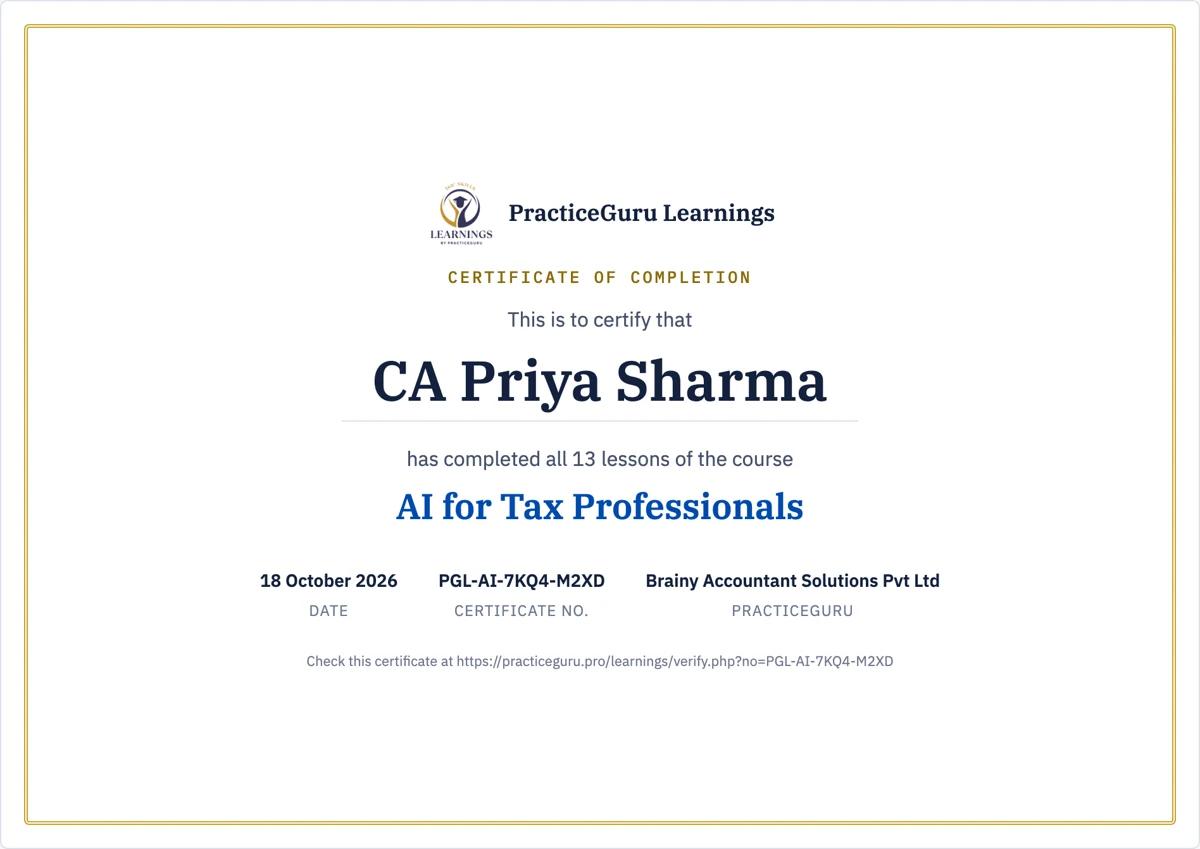
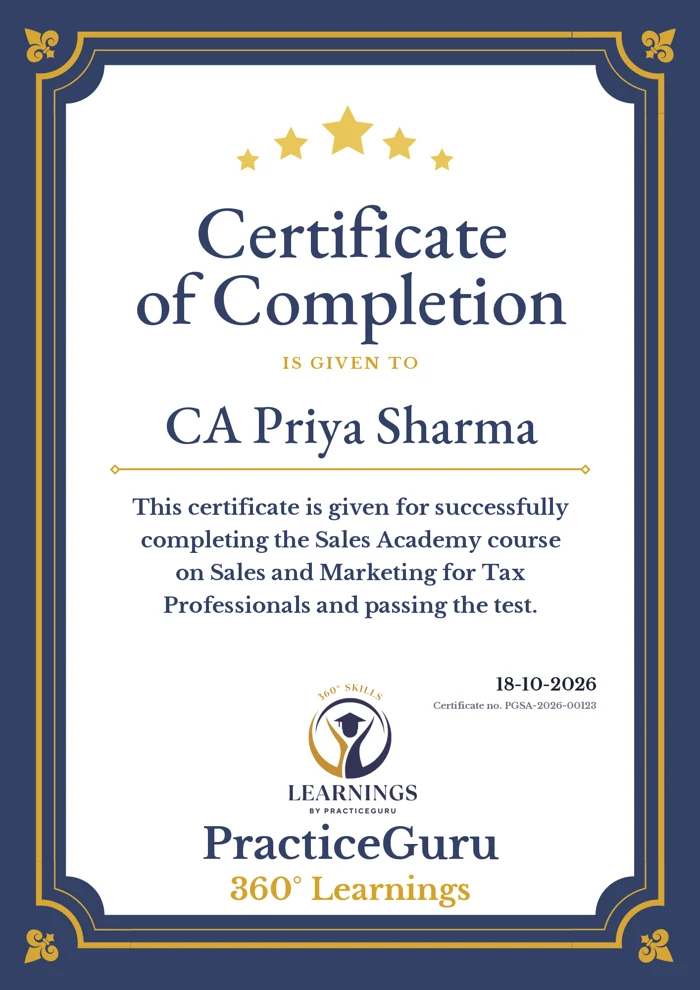
  • How you earn it Read every lesson of the course. For Sales Academy, pass the 20-question test.
  • What it shows Your name, the course, the date and a unique certificate number.
  • Where to use it With clients, on your website and on LinkedIn. Anyone can check the number on our website.
Sample certificate: AI for Tax Professionals, with date and certificate number Sample certificate: Sales Academy

From the house of PracticeGuru

Built by the team tax professionals already trust

PracticeGuru (Brainy Accountant Solutions Pvt Ltd) builds OneClick Branding, SignReady and WebifyTax for 5000+ CAs, CS, lawyers and tax practitioners across India. Sales Academy was written by Chartered Accountants in practice for over 16 years, from their own experience and mistakes, and 200+ tax professionals have bought it.

As covered by

The Times of India DNA India United News of India
TIOL award

Awarded by TIOL

Recognised by TIOL for our contribution to tax professionals; the award was presented by the Finance Minister of Andhra Pradesh. PracticeGuru is also a startup recognised by DIPP, Government of India.

Visit PracticeGuru

FAQ

Frequently asked questions

One course or the Office Subscription Plan: which should I buy?
If you want one topic for yourself, buy that course: Rs. 599 to Rs. 999 + GST depending on the course, once, yours for life. If you want more than one course, or want your staff to learn too, the Office Subscription Plan is the better deal: every course for your office, Small office Rs. 1,499 + GST a year for you + 5 staff, or Large office Rs. 1,999 + GST for you + any number of staff. Buying all 20 courses one by one would cost Rs. 17,180 + GST, for one person.
Are new courses included in the Office Subscription Plan?
Yes. Every course on PracticeGuru Learnings is included, also the courses we add during your year. You do not pay anything extra for them.
What does a course cost?
Rs. 599 to Rs. 999 + 18% GST per course, depending on the course, one-time, for one person, with lifetime access. The Office Subscription Plan gives every course to your office for a year: Small office Rs. 1,499 + GST a year for you + 5 staff, or Large office Rs. 1,999 + GST for you + any number of staff (+ 18% GST).
Can I read before I pay?
Yes. Register free and read the first lesson of any course. Buy only if it helps.
Who are these courses for?
Chartered Accountants, tax practitioners, Company Secretaries, lawyers and their staff. Every example comes from a tax practice.
How does the Office Subscription Plan work?
You subscribe for a year and invite your staff by link from "My office". Each person gets their own login, progress and certificate. You can remove someone and invite another person any time: up to 5 staff at a time on the Small office plan, as many as you like on the Large office plan. You can choose the other level when you renew.
Is there a refund?
Yes. Every course and the Office Subscription Plan have a 7-day money-back guarantee: if you are unhappy, tell us within 7 days of paying and we refund 100%. The guarantee applies once per person for each course, and once per office for the plan. Read the refund policy.
I don't have a GST number. Can I still buy?
Yes. WhatsApp us on 91366 67325 and we will help you.
I already bought Sales Academy. Do I need a new account?
No. Log in with the same email and password; Sales Academy is already in "My courses".

Start with one free lesson today

Register free, read the first lesson of any course, and buy only if it helps your practice.

Every course for your office Rs. 1,499 / year + GST for you + 5 staff · Rs. 1,999 with no staff limit

Subscribe WhatsApp